
Service Obsession™
We deliver expert support in 3 minutes, keep your data safely in the UK, and have over 20 years of trust baked in.
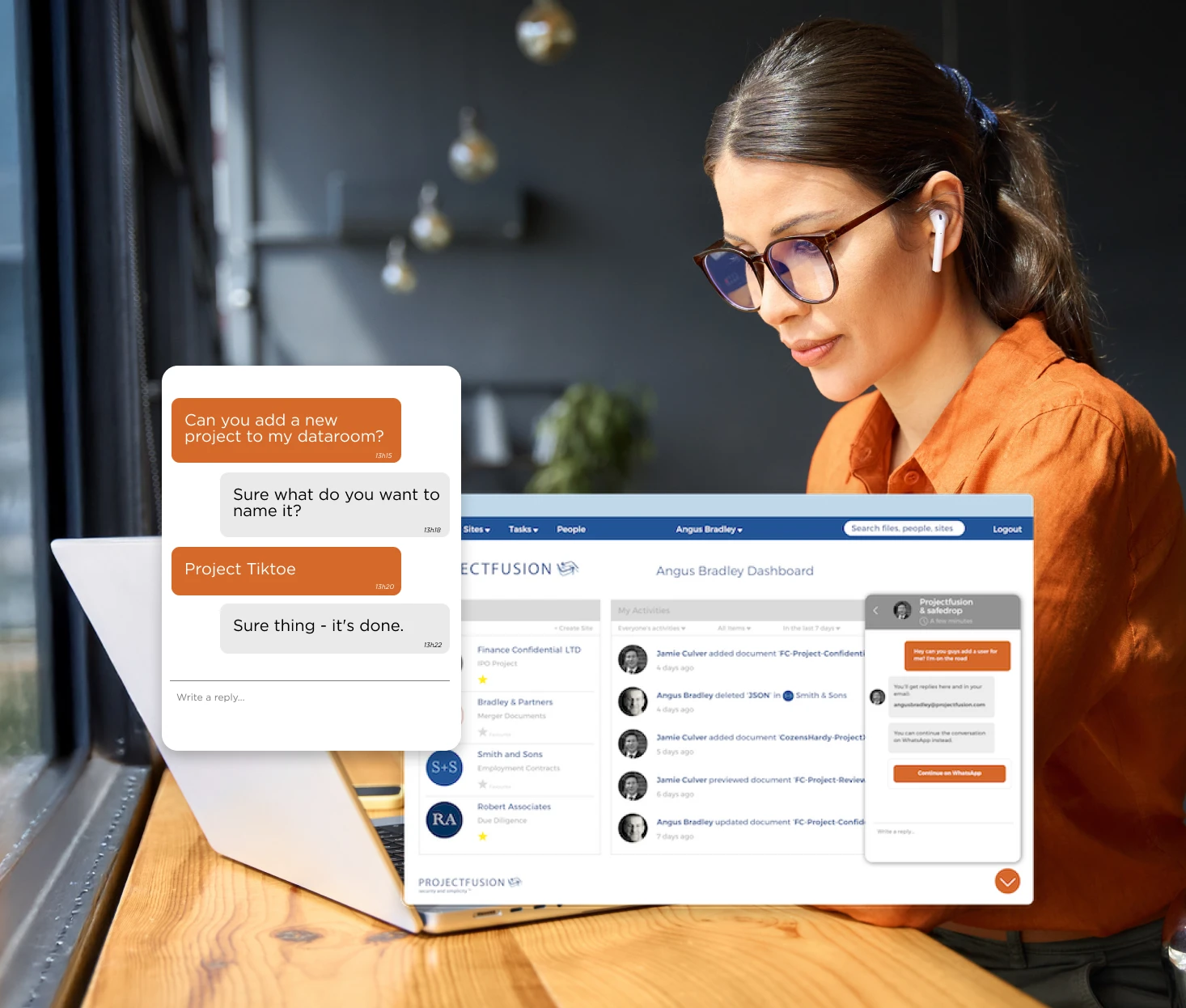

Virtual data rooms made for getting things done
Secure. Compliant. Built for speed. Backed by
obsessive support.
Projectfusion helps professionals share sensitive data with zero
hassle and close deals faster.
Used by lawyers, advisors, and governments since 2001.
Trusted by companies of all types and sizes
















Learn why over 35 000 professionals love Projectfusion

Proven Since 2001
Two decades of experience, thousands of deals, from £100k to £1bn. Built on trust, not hype.

Made for Professionals
Built for legal, finance, and life
sciences teams who need security without slowdown.

Obsessive Support
We don’t just answer fast, we solve fast. Support 24/7. Clients stay with us for years, and recommend us because we care.

Speed that Shocks
Support in 3 minutes. No ticket limbo.

Always on. Always Fast.
Always-On Performance
Lightning-fast servers, and data rooms that don’t drag. No waiting, no crashing, just performance you can trust.

Born and Bred in Britain.
We’re based in the UK, and your data never leaves it. Full UK compliance, full peace of mind.

Ethical By Design
We give 1% of our turnover to planet-positive causes, back real climate action, and keep your data out of shady hands.

Built on Trust
Trusted by professionals since 2001. Security isn’t just a feature, it’s our foundation: bank-grade encryption, ISO27001 certified, Cyber Essentials accredited, and never compromised.

Free Until You Need it
Plan your sale or refinance in advance, with no cost, no risk. Keep your room running until the next deal. If it goes cold, ice it.
Built in tools that save you hours
Hybrid Redaction
Combine the accuracy of humans with the speed of AI. Redact 500x faster, with built-in quality checks. Works on PDFs, Word, Excel, and PowerPoint.
Auto-numbering & Instant Indexing
Clean, consistent file structures. Generate a full site index with one click, no renaming nightmares.
Templates & Instant Folder Creation
Launch deals in minutes. Use 20+ pre-built templates or drag in folders to create your structure.
Granular Permissions & Safeguards
Set user-level access, prevent mistakes, restrict downloads or printing. Total control at your fingertips.
Built-in Q&A
Route questions to the right people, track everything, export to Excel. Keeps due diligence clean and compliant.
Real-Time Audit Trails
See who’s looked at what, and for how long. Identify hot documents and serious buyers quickly.
Dynamic Watermarking
Custom watermarks for every user, even in Excel. Deter leaks without slowing things down.
Smart Admin Dashboard
At-a-glance usage insights, setup tips, and quick actions to keep your room running smoothly.

What you can do with Projectfusion
Run Corporate Finance Deals
- Faster due diligence, smoother exits, better outcomes.
- Keep data safe before, during, and after the transaction.
Deliver Secure Legal Collaboration
- Share bundles, evidence, and contracts securely.
- Trusted by legal teams to simplify deals, litigation, and client work.
Protect Your IP in Life Sciences
- Collaborate across borders while maintaining full compliance.
- Keep patents and sensitive research under lock and key.
Support Public Sector & Government
- UK data centres and full regulatory compliance.
- Proven in sensitive, high-stakes government work.
Proven results across
regulated industries
Our secure data room solutions have transformed document management for businesses across multiple sectors, delivering measurable improvements in efficiency and security.
3min
Response time
£2bil
Largest deal
44
Net promoter score
5x
Faster redaction with Hybrid Redaction
35000
Professionals trust us
Don’t take our word for it
Rated 5/5 for support and ease of use.
Trusted by top 100 law firms, UK Government,
and global finance teams
“Project Fusion was very helpful for our due diligence process, and really easy to use.”
Alison Farrell, Andes Mining Energy
“I’ve been able to let the data room manage itself, with barely any troubleshooting needed. The many features don’t make it confusing—they actually make life easier.”
Imperial Innovations
“Everything was just easier—easier to navigate and monitor changes. The layout made it simple to follow. Support was the stand-out feature: fast, helpful, and inside the data room.”
Bilal, Cohen & Company
“Automatic document indexing made everything so much easier to control. With our trust in the system, Projectfusion helped us move fast.”
Cosworth
“A cost-effective, intuitive data repository. Handles huge regulatory documents with ease. The search is fast and accurate—usually the simple search is all I need.”
Speciality European Pharma (SEP)
“From first contact, we were impressed. The team explained the platform clearly, especially for our non-techy users.”
Montagu Evans Channel Islands
“Many thanks for your help getting our data room up and running. I won’t hesitate to recommend Projectfusion.”
Jonathan Payne, Senior Partner, Thrings LLP
“I had never used a data room before but found the software so easy to use. It was intuitive and let me get on with what I needed. When I did have an issue, the support team was amazing—friendly, fast, and found a solution straight away.”
Clarke & Son
“It is very easy to use the application—very intuitive. The support team is super active, helpful, and engaged in solving every issue :)”
Colliers International
“The customer service is fantastic. We regularly call on Jamie and Noe if a user is experiencing difficulties, and they’re always available to assist and resolve the issue very quickly.”
Arezou Rezai, Corporate Associate, Paris Smith
“It’s an easy-to-work-with, user-friendly system—we can tailor each data room to our clients’ specific security needs.”
Lee & Priestley LLP
“We started using Projectfusion three years ago, and it’s now a key part of our client service. It creates an online collaborative space for deals, improving speed and efficiency. Support is excellent—both in-app and on the phone.”
Coffin Mew
“We’ve been using Projectfusion since 2012. We run hundreds of projects online across the business, from Real Estate to client extranets. It’s a great way to share files securely.”
Russell Cooke
New to virtual data rooms?
Start here.
Download our free guide:
The Smart Buyer’s Guide to Virtual Data Rooms
Learn what to look for, what to avoid, and how to choose the right VDR for your next deal.