
What's new - interface
Spend your time on the deal, not the data room.
Faster at every step, with uploads that flag mistakes before they reach the room.
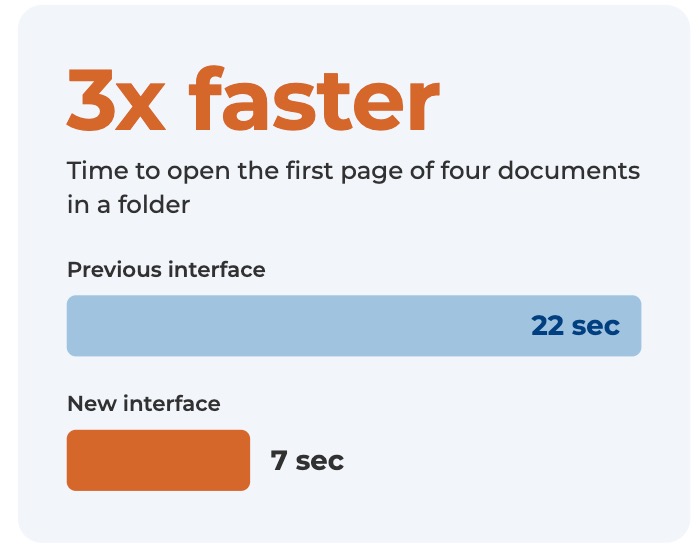
Your time should go on the deal, not on waiting for the data room. So we’ve spent the last nine months rebuilding the Projectfusion interface to get everyday jobs done faster.
Documents open in about a third of the time. Uploads can send just the files that are new or changed, and warn you before a likely mistake reaches the room. Permissions are much easier to set. That means less waiting, and less time spent putting things right.
From early November, everyone using Projectfusion can switch to the new interface, whether you run a data room or you’re reviewing one. We’re rolling it out in stages rather than all at once. This page shows what’s ready now and what’s coming next, and we’ll keep it updated as each piece goes live.
We help professionals move faster by removing the friction from secure collaboration. Whether you’re closing deals, managing evidence, or protecting IP, Projectfusion gives you the tools and peace of mind to do it right.
Three Times Faster
We timed a task every data room user does: opening the first page of four documents in a folder. On the old interface it took 22 seconds. On the new one it takes 7.
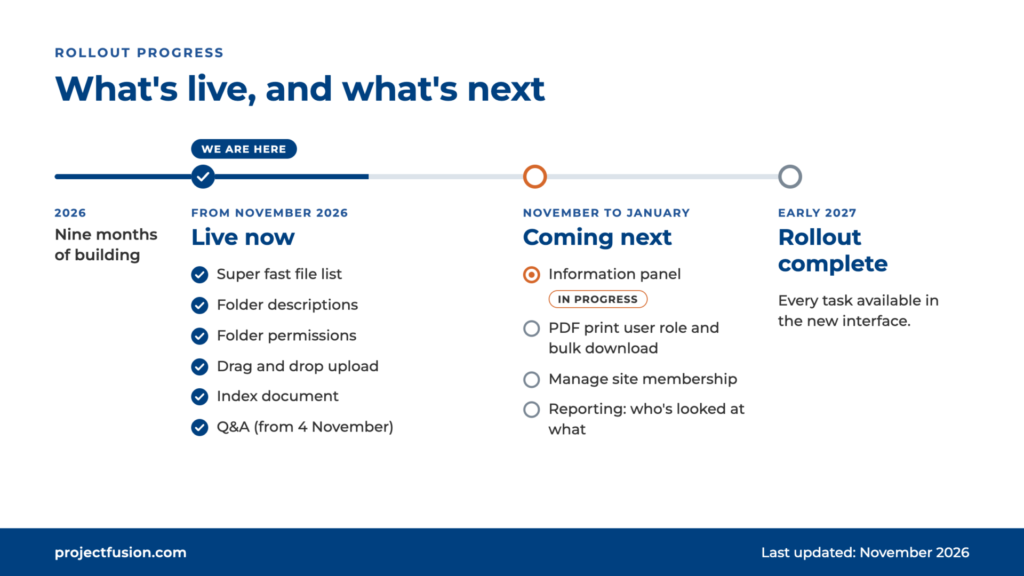
1. November: the new interface is available to everyone as an option. You can browse folders, read
and download documents, and use Q&A from 4 November.
2. November to January: we add the remaining admin features one at a time, and update this
page as each goes live.
3. Early 2027: the rollout is complete.
Available now

Everything you need for everyday work in a data room is ready: browsing folders, reading and
downloading documents, and Q&A from 4 November. Here’s what’s new.
A file list that keeps up
The file list has been rebuilt for speed. Moving between folders and opening documents now takes
about a third of the time it used to
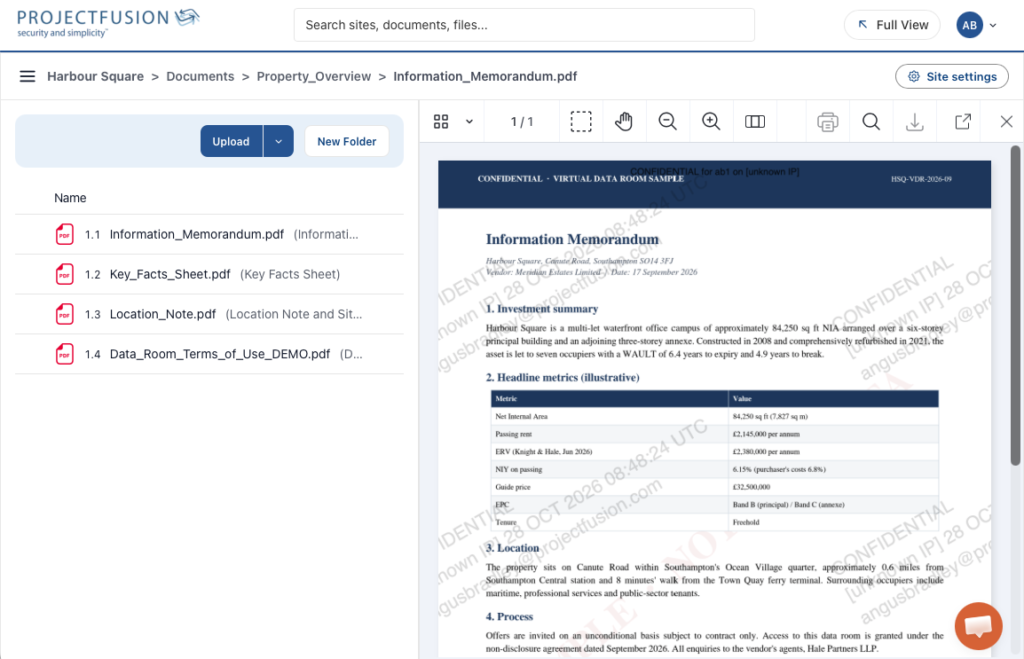
Folder descriptions
Markdown has become the common format for notes that people and AI tools can both read. Inspired
by that, you can now add a Markdown description to any folder. Use it to point people to the
documents that matter most, summarise what’s changed recently, or say who on the team to contact
about the deal.
Here is folder descriptions being used to describe deal key contacts
Every edit is tracked in a change-controlled file, so your folder descriptions can become part of the
deal Bible when you close.
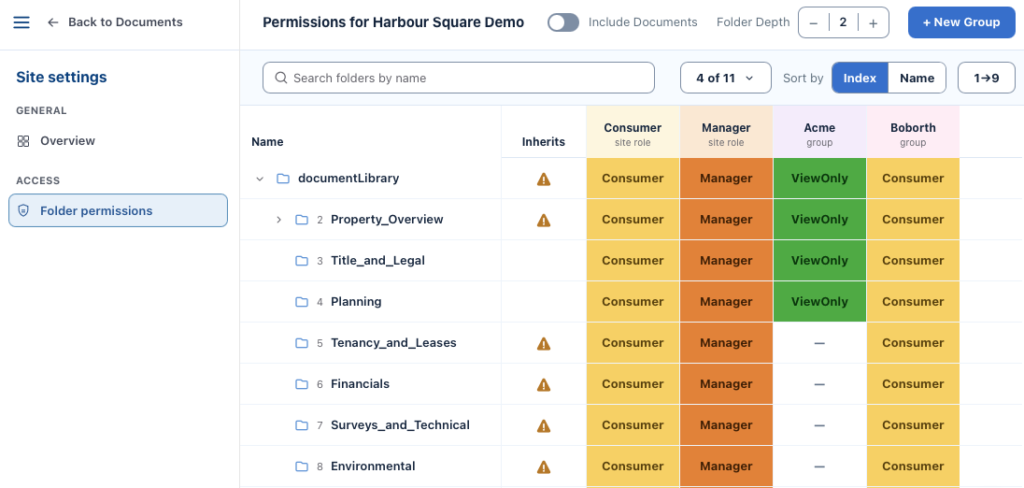
Folder permissions
A redesigned permissions screen makes it easier to see who can access each folder and to apply
changes, with much less room for error.
Upload that checks your work
Drag and drop upload has been rebuilt. You can choose to upload only new and changed files, and itwarns you before a likely mistake goes into the room.
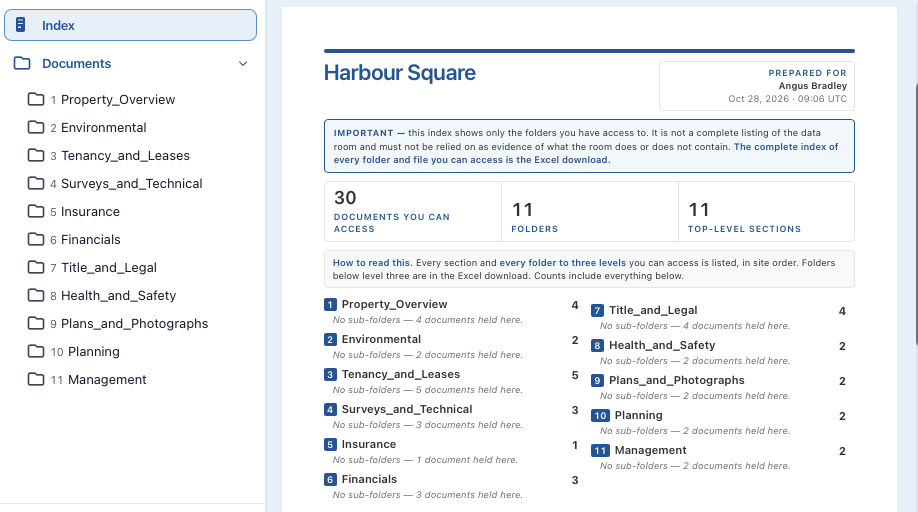
Index document
Produce a clean one-page or three-page index of your data room that prints neatly on A4 or US Letter.
Q&A
Ask and answer questions in the new interface, from 4 November.changes, with much less room for error.
Coming next
We’re adding these over the coming weeks, with the full rollout due to complete in early 2027. Until
each one lands, you can use the classic interface for that task.
Information panel: a new right-hand panel with document stats and other useful detail
alongside your files. In progress now.
PDF print user role and bulk download
Manage site membership: add, remove and manage the people in your data room.
Reporting: see who has looked at what.
Tell us what you think
We’d love to hear what works for you and what doesn’t.